Amy Trenkle on Interactive Whiteboards
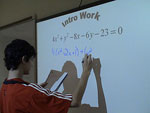
Through the hard work of dedicated parents, our school received funding to improve its technology. Part of this technology was to install interactive whiteboards in every teacher’s classroom. It has been a wonderful addition to the classroom and really heightened enthusiasm for technology and learning, particularly from the students.
- The projector. I absolutely love having a whiteboard with a projector. The projector is handy, not only for projecting documents, but also for showing video clips and movies. We’ve used it in class to watch documentaries, demonstrate where to go on websites, and to project our class assignments.
- Writing on texts that we are looking at together (particularly our daily warm-ups). The marker feature, particularly, with the different color markers, works well for looking at a particular piece of text together. While it is the same as an overhead projector in terms of marking the text, it is nice to be able to save what each class has marked and to be able to print it off for absent students or students who need additional support to keep up.
- The random group generator. This feature allows me to create groups with a click of the mouse! It’s a great way to put students together and have them off and running on their task.
- Using the board—the kids are jazzed to use it!
With this said, it has also been a bit challenging as a teacher. The boards were delivered after the start of the year and finding the time to really practice using the technology and integrating it into already prepared curricula has been difficult. I’m very excited about the technology that is out there, but honestly, I am still figuring out how to get the most “bang” for my “buck” time-wise. I have to evaluate carefully what works well without technology and what could be enhanced by the use of technology.
- Having more students up to the board to write, critique, and analyze what we are doing—I can make using the board more student-centered.
- Integrating more of our interactives into it. The programs shared by the interactive notebook software, such as Jeopardy templates, make it handy to integrate interactive features into lessons. Other examples include great social studies features like U.S. map state identifications or geography vocabulary word reviews.
- Working more with my colleagues to develop tools that we all can use. As a department, we agree that there is terrific potential in this technology. We need to make a concerted effort to pinpoint what we could all use to strengthen social studies skills as a vertical team. For instance, is there a tool or a program or a method we can use to reinforce common social studies vocabulary words? Or the five themes of geography? Or timeline-building skills? These are social-studies-specific skills that we reinforce throughout the grade levels. Are there materials that we can create and then adapt for grade-level-specific needs? What is something that has worked well for one social studies teacher that the others could benefit from?
I have been surprised—but at the same time, not really—at the enthusiasm the board brings for student learning. Students have walked in and have seen that the whiteboard is on and said, “Yay! We’re using the whiteboard today?”
Unfortunately, while it has not been intended, there has been little training for the fantastic materials we have received. We have had small group peer training (probably one of the most helpful types, in my opinion) in our morning collaborative time; a staff PD morning where we were shown a lot that we could do, but had just a short amount of time to try it; and monthly district training that often collides with other obligations.
That said, I’m definitely looking forward to spending some dedicated time this summer on enhancing certain lessons and integrating them with my whiteboard software now that I understand the technology and the capabilities more.
Editor's Note: The features of interactive whiteboards vary by brand and model. Amy Trenkle's school uses SMART Boards. Other boards may have different capabilities than those mentioned in this blog entry.

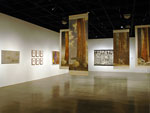
 My students get excited anytime I mention the words “field trip,” and with good reason. Field trips not only offer students a get-out-of-school-free card, but also offer them a chance to learn through interacting and experiencing. When money and time are tight, field trips are cut. That is why I am thrilled that technology is allowing students to take
  Another instructional idea that blends history with understanding art is to select a group of romantic paintings, a group of realist paintings, and a group of impressionist paintings and discuss the different styles of paintings and the emotions each elicits. For example, many romantic paintings glorify subjects and can stir feelings of nationalism, while realist paintings can capture the daily hardship and struggles individuals must endure. Teachers can discuss with students how different styles of paintings capture prevalent ideas and emotions of the artists’ societies.



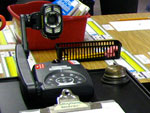
 Some document cameras come with a freeze image button which is a great feature to capture a page in a book or map that might be difficult to hold in place. If the document camera does not have this feature, you can hook up the document camera directly to the video projector, which often has the ability to freeze an image. If your document camera is not one that hooks up to your computer via USB, you can also set up the document camera directly to your projector. This allows you to toggle between the image on your computer screen (assuming it too is attached to your video projector) and the image from your document camera. You can also connect most document cameras to a television using an S-video cable or component video cable. It should be noted, however, that the clarity is not as crisp when using the S-video cable or component video cable compared to using a VGA or DVI connection.