Learner Response Systems (Clickers)

Image
What is it?

Learner Response Systems are handheld remote controls that allow students to respond instantly to classroom activities or learning. The Learner Remote Systems, commonly referred to as clickers, put the power to immediately answer questions into the hands of students. This tool allows teachers to provide formal and informal assessments to any number of students. Student responses can then be recorded in a number of different formats allowing the teacher flexibility when assessing responses and organizing data.

Learner Response Systems can be an incredible tool. Students love technology and, by putting the clickers in their hands, they feel a sense of importance in the classroom. They can be active participants without raising their hands and risking the awkwardness of a wrong answer in front of their peers. And they can share their ideas and answers without fear or hesitation.

Getting Started

There are several types of clickers. Teachers can evaluate how clickers will be used in class and determine budgetary constraints and the depth of response desired as they range in price and features. Almost all Learner Response Systems are compatible with PCs and Macs. The cost of the product is determined by the manufacturer and often is adjusted based on the quantity ordered.

The Learner Response Systems work using 2.4 GHz wireless technology that plugs directly into any USB port. Accompanying software allows the teacher to do a couple of important things. The first is importing questions they already have into the program. Second is the ability to export student responses into an Excel file format for faster analysis of results. Finally, most software programs have the ability to interact with other programs such as Word and Web browsers.

Although some clickers support open-ended questions and short answers, the most well-known types allow students to reply to multiple-choice questions, using a series of buttons on the remote that correspond to the possible answers.

Examples

There are countless opportunities to incorporate Learner Response Systems into a social studies classroom to increase student engagement, allow for rapid feedback, and assist teachers in planning lessons and activities. Pre-Testing One great way to use the clickers is through pre-testing. Before a teacher begins a unit, topic, or era, a short multiple-choice survey can be created using the key ideas that will be covered. Using the software provided by the manufacturer, the teacher can go through the survey and, after students have input their answers, the class responses can be shown on the screen beside the question. Set up the survey with four to six answers to a question and allow the students 45 seconds to a minute to complete each question. The survey should be no longer than 10 questions and the entire pretest can be completed in 15 – 20 minutes if students are already familiar with the Learner Response System. For this activity, it is not necessary to show individual responses because the relevant information is how the class performed as a whole. This will allow the teacher and the students to see how much prior knowledge they already possess. Once the teacher has an idea which key ideas the students are, and are not, already familiar with, the coming unit can be altered to maximize student learning. If a majority of the students already know the key information, a teacher can then spend more time in the areas where the class struggled. Formal Assessment Another great use for the Learner Response System is for formal assessment. To use this as a quiz or exam, the test is developed similarly to the pretest mentioned above. The first major change is that the students must register the remote with their name or student identification number so that the individual responses are recorded for that student. The second major change is that the questions should be timed. The teacher will set a predetermined time for each question, for example 45 seconds, and after the set time the questions automatically rotate to the next question in the exam. The final major change is that the teacher does not want to show any student responses. Instead, the teacher should allow the students to complete the exam and then all answers are stored within the software program provided by the company. After the completion of the quiz, the scores can then be converted into an Excel file for easier assessment.

From a teacher’s perspective, there is no grading to be done and the results are instant...

Most Learner Response Systems allow for the teacher to look at how each student, and the class, did on each individual question and on the exam in its entirety. If the teacher has broken down the exam into key ideas from the unit, it is quick and easy to evaluate where individual students or the class struggled or excelled, which can be crucial in planning revision and reteaching of some subject matter or skills. To expand on the exam, teachers could include pictures, maps, and graphs to test social studies skills as well as content knowledge. From a teacher’s perspective, there is no grading to be done and the results are instant which allows for quick turnaround on lesson planning and evaluation of student performance. Thought-Provoking Analysis The clickers can also be used to provide thought-provoking analysis for the students. This is done by posing a critical thinking question to the class and then allowing them two – three minutes to respond to the question. After all the responses are in, the total responses for each possible answer can be shown to the class in either raw numbers or in a graph. The students can then work with a partner using think, pair, share to discuss why one answer received the most responses (i.e. why it’s right) and why others received fewer responses (i.e. why it’s wrong). This is a great activity for getting a class to start thinking about what makes answers right or wrong and can be used to answer and provide discussion at all levels of Bloom’s Taxonomy. A fourth simple classroom activity for the social studies classroom is using the Learner Response Systems to make predictions about what is about to happen. An example of this could be the Treaty of Versailles. Allow students to review what each of the Big 3 wanted out of the Paris Peace Conference, then allow the students to use the clickers to choose a prediction from a list of possibilities. This can be done as a great small group activity by having 3-4 students discuss what the best prediction is and why it is the best. After the groups have discussed and registered a response, show them the correct answer with the raw numbers or graph of how they responded. Have the students discuss as a class what factors influenced their decision and, if they were incorrect, what caused them to be wrong. Seeing the responses and then discussion will lead to better understanding, better dialogue between students, and higher-level thinking. Other Uses There are also several ways to use the clickers in a non-assessment format as well. One example is that the clickers can simply be used to take attendance every day. If the students are well versed in using the Learner Response Systems, they will be able to come in, activate their clicker, which signals they are present in the classroom.

For more information

Vanderbilt University's Center for Teaching looks at teaching with clickers.

Research study "Waking the Dead: Using Interactive Technology to Engage Passive Listeners in the Classroom" tests student perceptions of clickers.

Another study, "Learning by Remote Control," suggests that clickers can help move classrooms away from lectures towards greater interactivity.

National Constitution Center: Explore the Constitution

Image
Annotation

Understanding the significance of the U.S. Constitution requires more than simply reading its text. This website provides context and tools designed to historically contextualize the U.S. Constitution and help users assess its lasting impact. An interactive Constitution lies at the heart of the website, providing line-by-line commentary by current scholars alongside excerpts from contemporary primary sources. Users can also search the Constitution in connection with specific court cases, topics, and keywords.

An interactive timeline in the exhibit "Centuries of Citizenship" provides useful background information. Additional contextual information is available in the form of a set of "fast facts"; descriptions of "basic governing principles," such as the rule of law, Federalism, and judicial review; detailed biographical information on all delegates to the Constitutional Convention; and audio discussions with scholars and pundits on topics ranging from voting to prominent court cases to women in the Early Republic. Three scholarly essays provide different "perspectives on the Constitution," reminding users that the success of the Constitution in uniting a group of diverse territories was far from assured in the late 1700s. Related primary sources in the "Founding Documents" section allow users to trace the relationship between the U.S. Constitution and the Magna Carta, the Mayflower Compact, and the Virginia Declaration of Rights.

New editions include the interactive experience "Lincoln's Crossroads," in which students face some of the choices Lincoln faced during his presidency; "A More Perfect Union," an exhibit on Barack Obama's 2008 speech on race at the Constitution Center; " and "Seize the Vote," a 4-player game testing voting rights' knowledge.

Locate Yourself on a Map of the Americas

Teaser

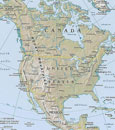
Young students locate themselves on a map and explore spatial relationships among geographic features.

lesson_image
Description

Young students locate themselves on a map and explore spatial relationships among geographic features.

Article Body

This is a straightforward lesson that introduces K-2 students to the concept of geographical location and scale. Using a variety of different maps, the lesson helps students understand the way that countries are situated within continents, states within countries, and cities within states.

Designed for a single-period, the lesson begins with students identifying the continent and country in which they live. Then, students begin to move to progressively more specific scales, locating the state or district in which they live, and eventually their school. Along the way, the plan calls for discussion of the number and size of states and districts, and the relative scale of different cities and towns.

The lesson is built around National Geographic’s MapMaker kit for the Americas—part of their larger MapMaker kit collection. For first-time users, video tutorials are available, and each kit enables the user to download, print, and assemble maps of varying scales. Map sizes range from “mega maps” designed for walls to one-page outline maps designed for individual study.

The strength of this lesson is that it introduces a key concept in historical thinking: geographical location and spatial relationships. By helping students understand the relationships between and among various locations, it establishes an important foundation for students in early elementary grades to learn about historical context. The website isn’t always the most intuitive to navigate, but persistence pays off with high-quality free resources.

Topic
Geographical location and spatial relationships
Time Estimate
50 Minutes
flexibility_scale
3
Rubric_Content_Accurate_Scholarship

N/A, the focus of this K-2 lesson is geography.

Rubric_Content_Historical_Background

N/A

Rubric_Content_Read_Write

No

Rubric_Analytical_Construct_Interpretations

No

Rubric_Analytical_Close_Reading_Sourcing

Yes, requires close reading of maps.

Rubric_Scaffolding_Appropriate

Yes

Rubric_Scaffolding_Supports_Historical_Thinking

Yes

Rubric_Structure_Assessment

Assessment checks for understanding of geographical relationships, no criteria.

Rubric_Structure_Realistic

Yes

Rubric_Structure_Learning_Goals

Yes

The Object of History

Image
Annotation

The Center for History and New Media and the Smithsonian National Museum of American History created this website to model both historical thinking about artifacts as primary sources and possible best practices for sharing museum collections online. With the site, students can curate their own virtual history exhibits, using documents and expert interviews related to six core artifacts from different time periods. The "Guide" section introduces users to how and why artifacts are important to historians. Seven 300- to 600-word essays argue that artifacts tell stories, create connections between people, hold many different meanings, capture moments, and reflect changes. After learning how historians relate to artifacts, users can tour model exhibits in "Objects," focusing on six Smithsonian-held artifacts: Thomas Jefferson's lapdesk, the gold nugget that started the California Gold Rush, a dress that belonged to Mary Todd Lincoln, an 1898 voting machine, the Woolworth counter where a sit-in took place in 1960, and a short-handled hoe used by farmworkers in the 1960s and 1970s.

Using the more than 220 expert interviews and primary sources from the "Object" model exhibits, students can create their own six-item exhibit.

An "Introduction" for each artifact includes a short introductory video placing it in its historical context and a virtual version of the artifact. Users can zoom in and out on the virtual artifact, rotate it, or click to discover interactive hot spots. Clicking "Explore" in each exhibit provides further information on the object, its place in history, and its history as a museum artifact. Interviews with Smithsonian experts and related primary sources enrich "Explore" sections. "Tour" demonstrates how the interviews and sources in "Explore" can be pulled together into exhibits: either a short 4- to 5-piece "Brief Tour" or a 5- to 13-piece "Extended Tour." "Resources" rounds up annotated links to websites with more information on topics related to each artifact. "Activity" is the heart of the site. Using the more than 220 expert interviews and primary sources from the "Object" model exhibits, students can create their own six-item exhibit. After selecting the objects that reveal the perspective or tell the story they wish to convey and labeling the objects with interpretative text, students can email their finished exhibits to their teacher (or to themselves). For even more information on the six core artifacts, users can listen to experts' recorded answers to questions about the artifacts in "Forums." The 16 recordings run from 13 minutes to an hour. The site may take time to learn to navigate and use, and sorting through the many interviews and primary sources to curate an exhibit can be frustrating (interviews and sources can be displayed by collection, but not searched). However, the site can still provide an introduction to what makes artifacts unique as primary sources, and the skills historians use to interpret artifacts and create museum exhibits.

Zinn Education Project

Image
Annotation

Created by the nonprofit organizations Rethinking Schools and Teaching for Change, the Zinn Education Project works to bring resources exploring the “role of working people, women, people of color, and organized social movements in shaping history” into the classroom. Inspired by the work of historian Howard Zinn, author of the popular A People's History of the United States, the website provides teachers with materials for expanding on these historical narratives.

“Teaching Materials” contains the bulk of the site's content, including more than 100 teaching activities. These can be downloaded in PDF form following free registration, and include essays, articles, interviews, and full lesson plans on topics related to marginalized groups and labor history. Titles range from “Exploring Women's Rights: The 1908 Textile Strike in a 1st-grade Class” to “What the Tour Guide Didn’t Tell Me: Tourism, Colonialism, and Resistance in Hawai'i”.

“Teaching Materials” also contains more than 300 annotations on audio resources, fiction and nonfiction books, films, posters, commercial teaching guides, websites, and Spanish/bilingual resources. Annotations consist of 2–3 sentences describing the resource and its relevance to Zinn's focus and classroom use.

“Teaching Materials” can be browsed by date (either selected on a timeline, or chosen from 16 time periods, ranging from “Colonialism” to “20th Century” ) or searched by one of 29 themes, five reading levels, or by type of material (teaching activity .pdfs, audio, books: fiction, books: nonfiction, films, posters, teaching guides, websites, or Spanish/bilingual).

Useful to teachers wanting to expand on the traditional textbook narratives on marginalized groups and labor history.

TeacherServe

Image
Annotation

These three collections of essays, commissioned from distinguished scholars are designed to deepen content knowledge in American history and offer fresh ideas for teaching. Essays include many links to primary source texts in the National Humanities Center’s Toolbox Library. Divining America: Religion in American History features 36 essays, divided into three subcategories: "The 17th and 18th Centuries," "The 19th Century," and "The 20th Century." Topics range from "Native American Religion in Early America" to "The Christian Right," and include Puritanism, the First and Second Great Awakenings, abolitionism, Islam in the U.S., African American Christianity, American Jewish experience, U.S. Roman Catholicism, and Mormonism. Nature Transformed: The Environment in American History features 17 essays, divided into "Native Americans and the Land," "Wilderness and the American Identity," and "The Use of the Land." These focus on the changing ways in which North Americans have related to the natural world and its resources. Topics include, “The Columbian Exchange,” “The Effects of Removal on American Indian Tribes,” “Cities and Suburbs,” and “Environmental Justice for All.” Freedom's Story: Teaching African American Literature and History addresses topics ranging from the early 1600s through to contemporary times. These 20 essays include, “How to Read a Slave Narrative,” “Segregation,” “The Trickster in African American Literature,” “Jazz in African American Literature,” and “The Civil Rights Movement: 1968-2008.” Essays provide an overview of the topic. “Guiding Discussion” offers suggestions on introducing the subject to students, and “Historians Debate” notes secondary sources with varied views on the topic. Notes and additional resources complete each essay.

History Explorer

Image
Annotation

In 2008, the Smithsonian launched History Explorer, in partnership with Verizon's Thinkfinity. Designed as a portal into the National Museum of American History's online resources, the site lets users search or browse the museum's resources. Use the keyword search to look up artifacts, interactives/media, lessons/activities, primary sources, reviewed websites, reference materials, and worksheets; narrow the search by selecting grade levels, historical era, resource type (artifact, lesson, worksheet, etc.), and/or cross-curricular connection.

Or browse by content type, using the tabs at the top of the page—"Lessons and Activities" contains more than 300 resources designed for teacher presentation; "Interactives and Media" contains more than 100 resources including audio, video, or interactive components; and "Museum Artifacts" contains more than 300 artifacts suitable for object-based learning. All individual entries list related content and relevant National History Standards and teaching strategies.

"Themes" offers collections of resources for major U.S. history topics such as immigration and civil rights; "Books" lists synopses for nearly 300 books suitable for reading levels varying from preschool to adult; and "Teacher Resources" includes information on teaching with primary sources, webinars, and joining the Thinkfinity Community. Check "Web Links" for links out to more than 100 history websites, chosen for design, usability, and content.